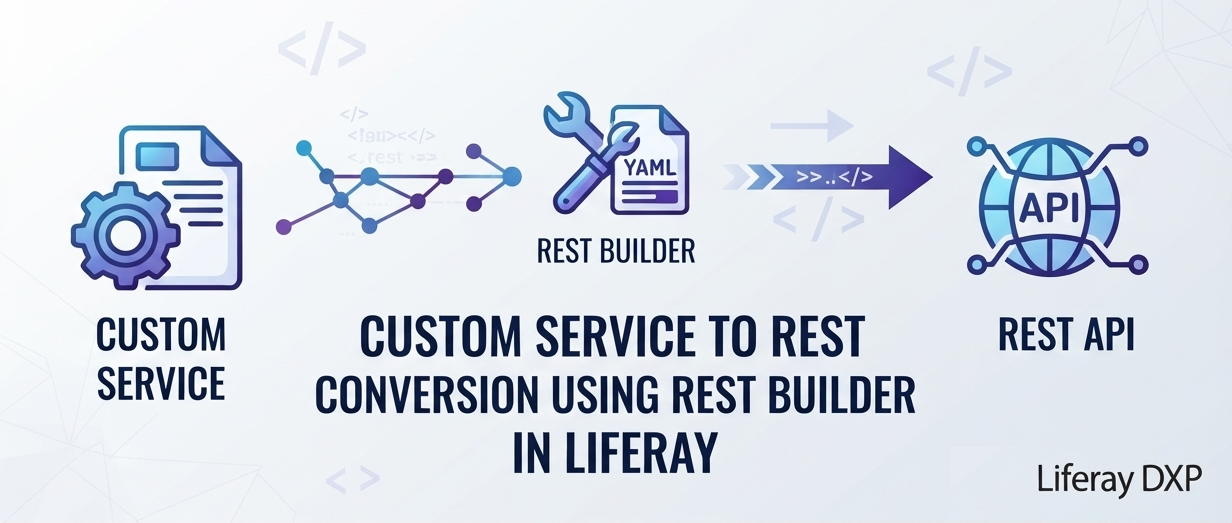


Goal: To create a REST API endpoint using REST Builder from existing or new custom services.
Use Case: Platform integration, mobile applications, etc.
Bottlenecks
- No Implicit ThemeDisplay: Unlike traditional portlet MVC implementations, REST resource implementations should not assume that
ThemeDisplayis available. Any required contextual information must be explicitly obtained from the REST request, authenticated security context, or appropriate Liferay services. - Avoid Exposing Internal IDs: Avoid exposing internal IDs unnecessarily through public API parameters.
System Overview
- Java: 21.0.5
- Gradle: gradle-8.5
- Eclipse: 2024-12
Steps :
1. Create a Liferay Module Project
Go to New > Liferay Module Project, provide an appropriate project name (e.g., custom-rest-api-learn), and select rest-builder as the project template. In the next window, provide the appropriate class name and package name.
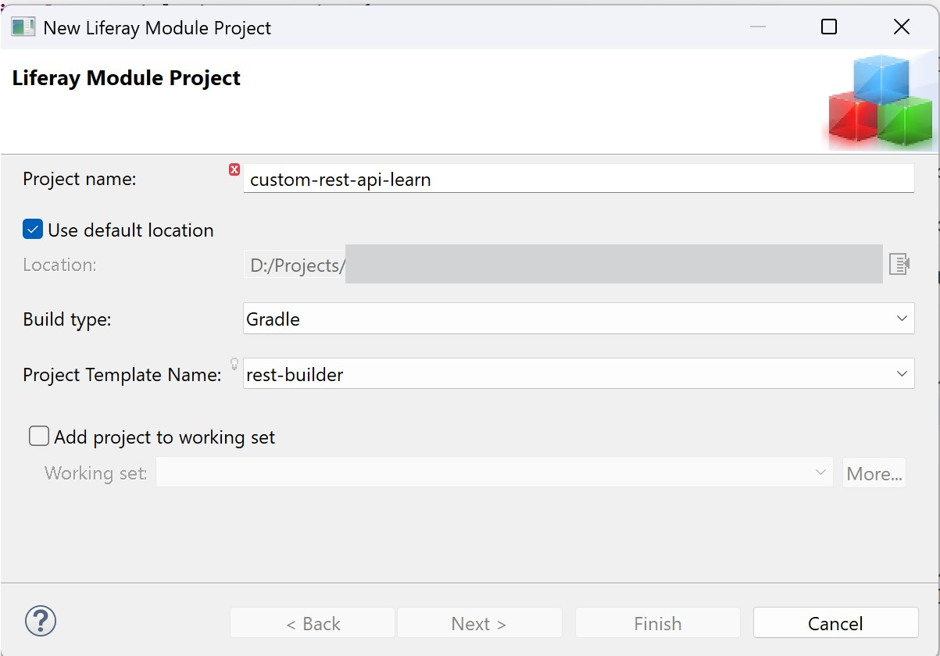
Modules will be created with api, impl, client, and test packages. Perform a Gradle Refresh (Ctrl + F5 in Eclipse on Windows) on the project.
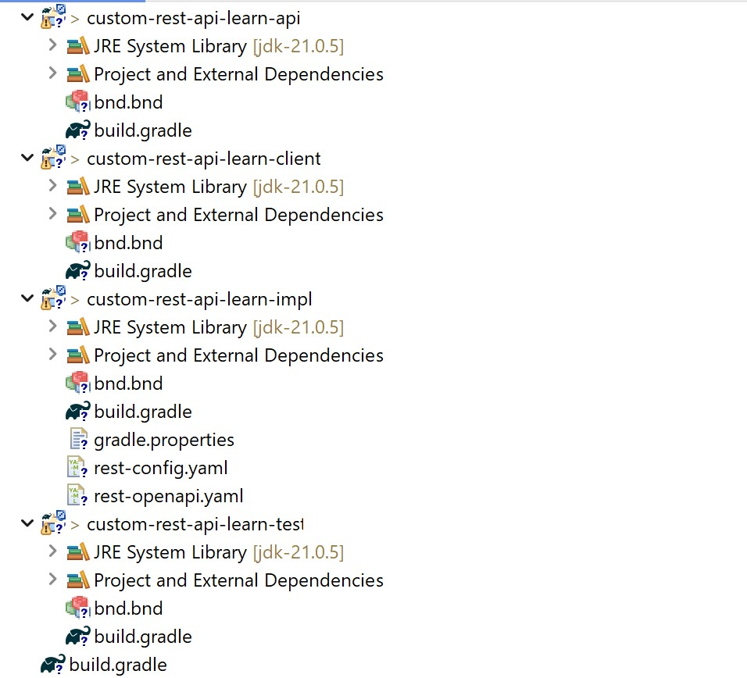
For simplicity and better understanding of the module, you can remove the test and client packages if not needed.
2. Configure rest-config.yaml and rest-openapi.yaml
Two files are key to creating REST services with REST Builder: rest-config.yaml and rest-openapi.yaml.
A. rest-config.yaml
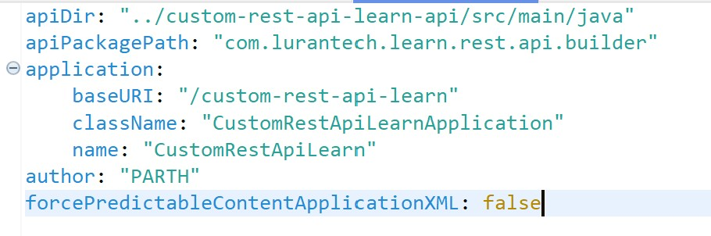
Since the test and client packages were removed, remove their corresponding directory paths from rest-config.yaml. To consume only application/json as output and avoid treating XML as default alongside JSON, set forcePredictableContentApplicationXML: false.
javaEEPackage: The namespace to use for code generation (javaxby default; set tojakartafor Liferay versions using the Jakarta EE namespace).baseURI: The context URL for all APIs in this project (e.g.,/custom-rest-api-learn).
B. rest-openapi.yaml
Define your API specification using info, paths, and components:
info:
    description: "CustomApiRest REST API"
    license:
        name: "Apache 2.0"
        url: "http://www.apache.org/licenses/LICENSE-2.0.html"
    title: "CustomApiRest"
    version: v1.0
openapi: 3.0.1
paths:
  "/sites/{siteId}/articles/by-friendly-url/{friendlyUrlPath}":
    get:
      description: "Get article view URL for mobile application"
      operationId: "getArticleViewURL"
      parameters:
        - in: path
          name: siteId
          required: true
          schema:
            type: integer
            format: int64
        - in: path
          name: friendlyUrlPath
          required: true
          schema:
            type: string
        - in: query
          name: languageId
          required: false
          schema:
            type: string
      responses:
        200:
          content:
            application/json:
              schema:
                $ref: "#/components/schemas/ArticleViewURL"
      tags:
        - ArticleViewURL
  "/sites/{siteId}/articles/by-friendly-url/{friendlyUrlPath}/getArticles":
    get:
      operationId: "getArticleByFriendlyUrl"
      parameters:
        - in: path
          name: siteId
          required: true
          schema:
            type: integer
            format: int64
        - in: path
          name: friendlyUrlPath
          required: true
          schema:
            type: string
        - in: query
          name: languageId
          required: false
          schema:
            type: string
      responses:
        "200":
          description: Article and additional data
          content:
            application/json:
              schema:
                $ref: "#/components/schemas/ArticlePage"
        "404":
          description: Article not found
      tags:
        - ArticlePage
components:
  schemas:
    ArticleViewURL:
      properties:
        viewURL:
          type: string
      type: object
    PageRecord:
      properties:
        records:
          type: array
          items:
            $ref: "#/components/schemas/Record"
        totalCount:
          type: integer
      type: object
    ArticlePage:
      type: object
      description: Replace with actual ArticlePage properties
      properties:
        recordId:
          type: integer
          format: int64
    Record:
      type: object
      description: Replace with actual Record properties
      properties:
        recordId:
          type: integer
format: int64info:Contains description, title, version, and license details.paths:{siteId}, {friendlyUrlPath}), query parameters (languageId), HTTP methods (GET), response codes (such as 200 and404), operationId, and tags.Parameters:In our example, we have used 'siteId' parameter which is an exact match with one of the Liferay's default parameters. Use cases of such parameters and its implications are explained in testing (Step 6 - Testing).operationId:"operationId" creates the method with the same name, given as value. "operationId" should be unique for each tag for a more distinguished pattern.tags:"tags" defines the names of impl files (Impl Package/Module) and interface files (API Package/Module), which will be generated after "buildREST" command. It is possible to have the same tags value for multiple endpoints.responses:It is possible to define multiple responses as per requirement. Here only 404 and 200 are defined.components:The 'schemas' section defines the data structures used in API requests and responses.ArticleViewURL:
properties:
viewURL:
type: string
type: objectviewURL.{
"viewURL": "https://example.com/article"
}PageRecord and Recordschemas are given for reference only, having no use case in this example.Important Considerations:
- Keep
operationIdunique across all operations in the OpenAPI document to avoid code generation and documentation issues. EachoperationIdmaps to a method name in the generated base resource class (e.g.,getArticleViewURLinBaseArticleViewURLResourceImpl.java). tagsdetermine the generated resource interface and implementation names:[tags]+Resource.javain the API module and[tags]+ResourceImpl.javain the Impl module. Multiple endpoints can share a tag.- In component section, Schema names will generate the DTO files in API Package/Module with
[schemaName].java. Eg.ArticleViewURL.java
3. Generate Code with Gradle
Run the following Gradle tasks and refresh the project:
gradle cleanon the module.gradle buildRESTon the module.gradle buildon the project. or Gradle refresh (Ctrl + F5 for eclipse in windows) the project.
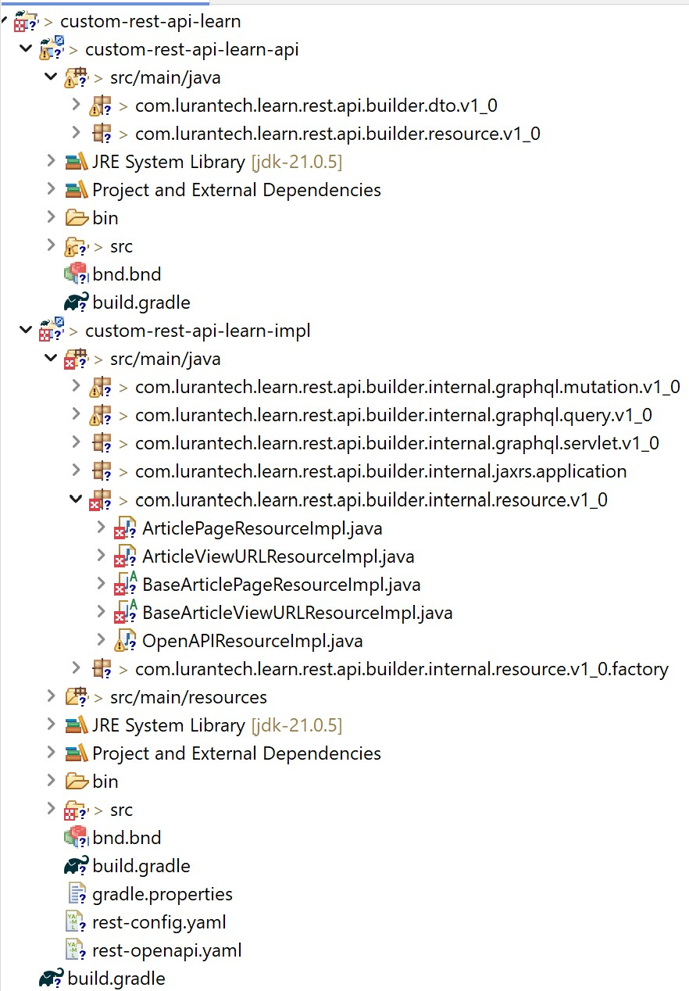
Any edits to .yml files typically require a Gradle Refresh along with gradle clean buildREST to regenerate files accurately. And It might require to address errors and solutions (Step 4) everytime upon buildREST is executed.
4. Resolve Common Build Errors
After running buildREST, you may encounter compilation issues in generated classes:
- Unimplemented batch method in Impl classes: Classes like
ArticleViewURLResourceImplorArticlePageResourceImplmay require implementingsetContextBatchUnsafeBiConsumer. If batch operations are not used, provide an empty override:
@Override
public void setContextBatchUnsafeBiConsumer(
        UnsafeBiConsumer<Collection<ArticlePage>, UnsafeFunction<ArticlePage, ArticlePage, Exception>, Exception> contextBatchUnsafeBiConsumer) {
    // TODO Auto-generated method stub
}- Generic wildcard type mismatch in Base Impl classes: If
transformortransformToArrayfails compilation onClass<?> clazz, update the parameter toClass<? extends R> clazz:
transform(T[] array, UnsafeFunction<T, R, Exception> unsafeFunction, Class<? extends R> clazz)
transformToArray(java.util.Collection<T> collection, UnsafeFunction<T, R, Exception> unsafeFunction, Class<? extends R> clazz)
5. Create a Custom Service & Implement Resource Logic
Create a package such as com.lurantech.learn.rest.api.builder.internal.resource.services in the impl module and add an OSGi @Component service class (e.g., ArticleViewURLService.java) to keep business logic modular and maintainable.
ArticleViewURLService.java is as shown below.
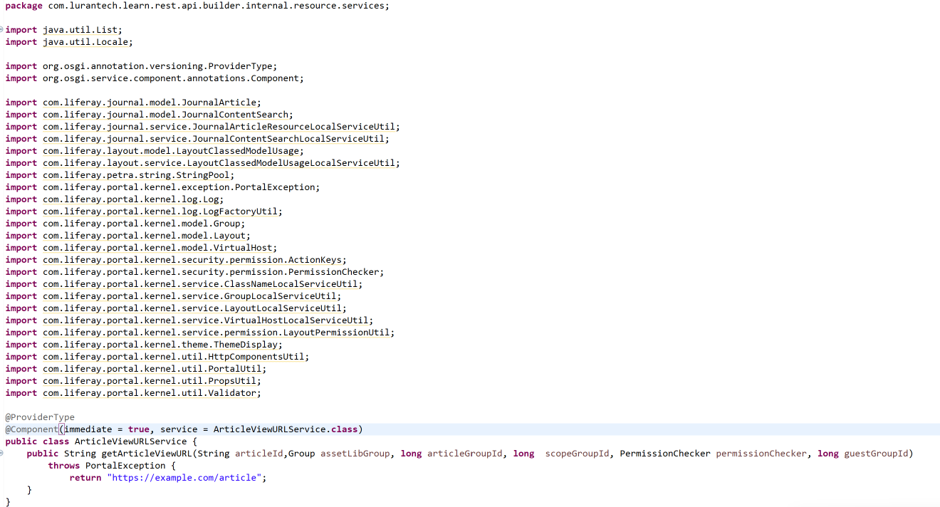
Some of the parameters have been added as redundant in the custom service, just to illustrate non-availability of ThemeDisplay in Rest Service.
Next, inject the service with @Reference into your resource implementation (ArticleViewURLResourceImpl.java) and override the method matching your operationId:
@Override
public ArticleViewURL getArticleViewURL(Long siteId, String friendlyUrlPath, String languageId) throws PortalException {
    String articleViewURL = "Default URL";
    ArticleViewURL article = new ArticleViewURL();
    try {
        PermissionChecker permissionChecker = PermissionThreadLocal.getPermissionChecker();
        JournalArticle ja = JournalArticleLocalServiceUtil.getArticleByUrlTitle(siteId, friendlyUrlPath);
        Group assetLibGroup = GroupLocalServiceUtil.getGroup(11111L, "GB Asset Library");
        if (Validator.isNotNull(ja)) {
            String articleId = ja.getArticleId();
            long articleGroupId = ja.getGroupId();
            long guestGroupId = 55555L;
            articleViewURL = _articleViewURLService.getArticleViewURL(
                articleId, assetLibGroup, articleGroupId, 20143L, permissionChecker, guestGroupId);
        }
    } catch (Exception e) {
        log.info("Error while getting Article : " + e.getMessage());
        articleViewURL = "Internal Error Occured";
    }
    article.setViewURL(articleViewURL);
    return article;
}

@Reference
private ArticleViewURLService _articleViewURLService;
6. Deploy and Test in Liferay API Explorer
Build and deploy the modules using gradle clean, gradle build, and gradle deploy. If deploying modules individually, deploy the API module first, followed by the Impl module.
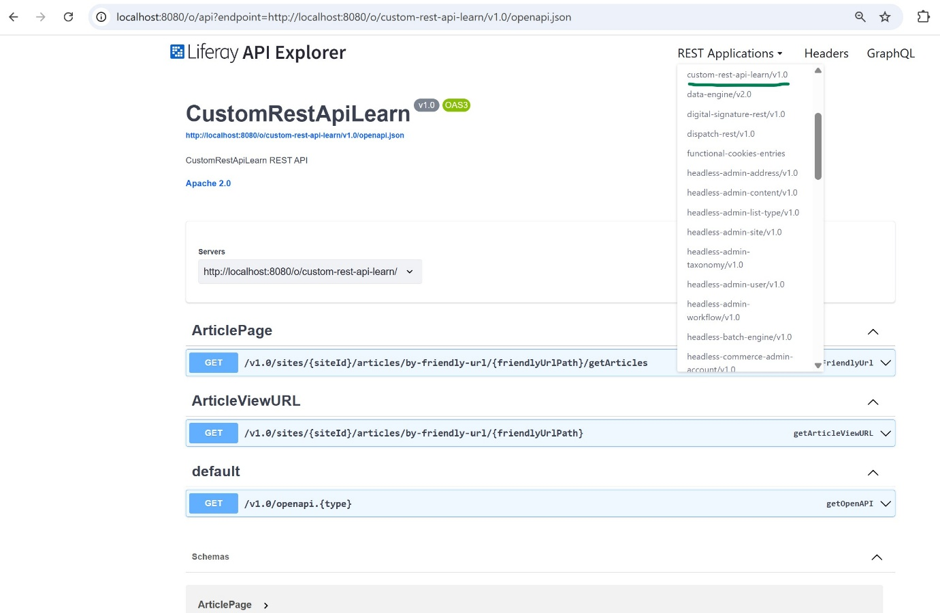
To test: sign in to Liferay, open /o/api, and choose custom-rest-api-learn/v1.0 from the REST Applications dropdown.
Test Cases
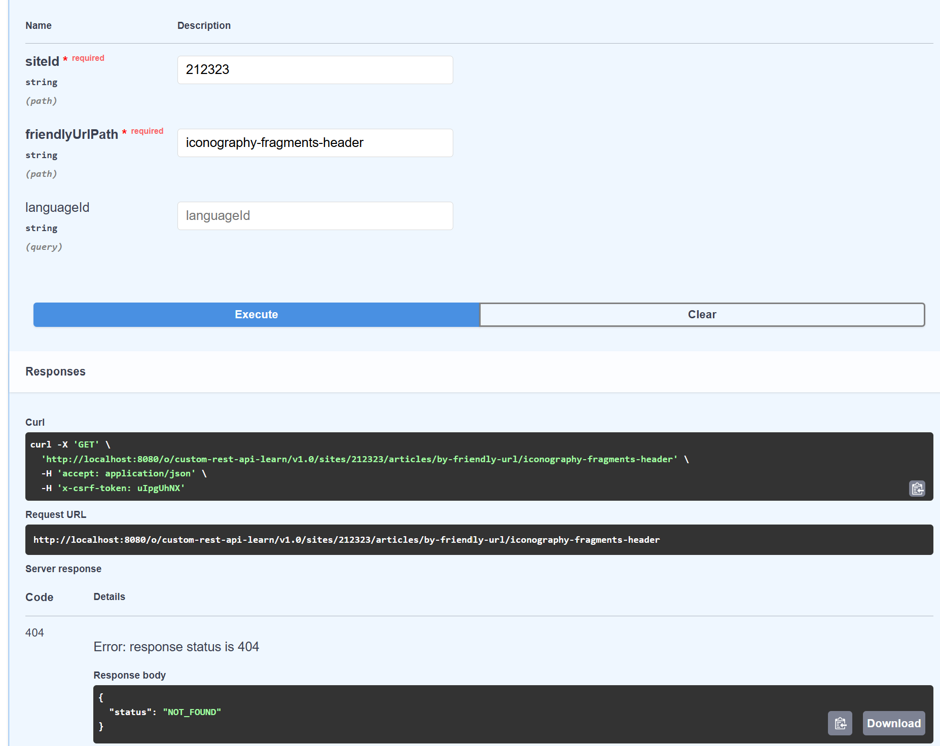
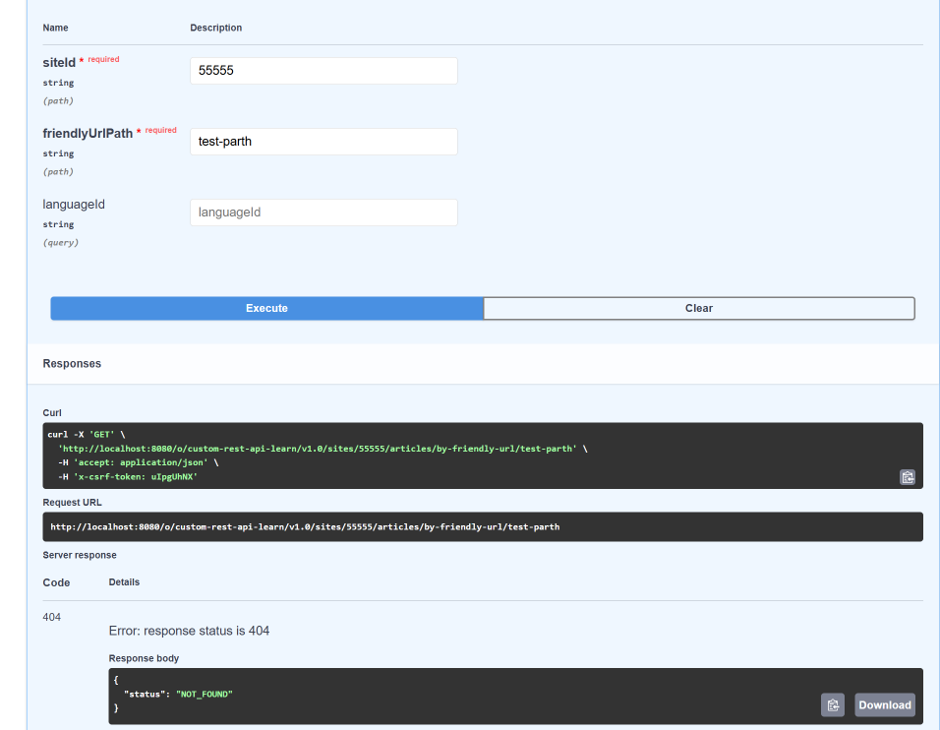
Because siteId matches one of Liferay's default parameters, passing an invalid siteId stops the request before it reaches the Impl class and returns Liferay's default 404 response. Providing a valid siteId routes the request into the Impl method logic.
Test Case 1
siteId: ✗ (Invalid)friendlyUrlPath: ✗ (Invalid)- Result: Liferay's default response (no execution of code written in the Impl file).
Because siteId is one of Liferay's default parameters, passing an invalid value ends in Liferay's default response without reaching the Impl file, resulting in a default 404.
Test Case 2
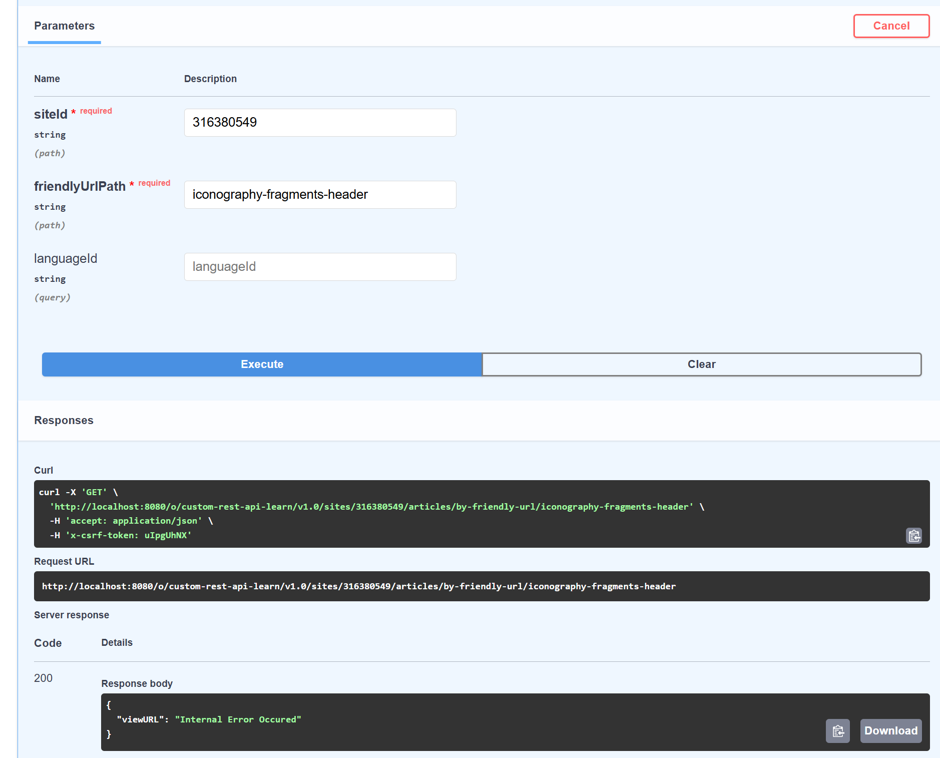
siteId: ✓ (Valid)friendlyUrlPath: ✗ (Invalid)- Result: Executes the Impl file and returns the response defined in the
catchblock of the method.
Using a valid siteId executes the Impl file logic according to the code.
Test Case 3
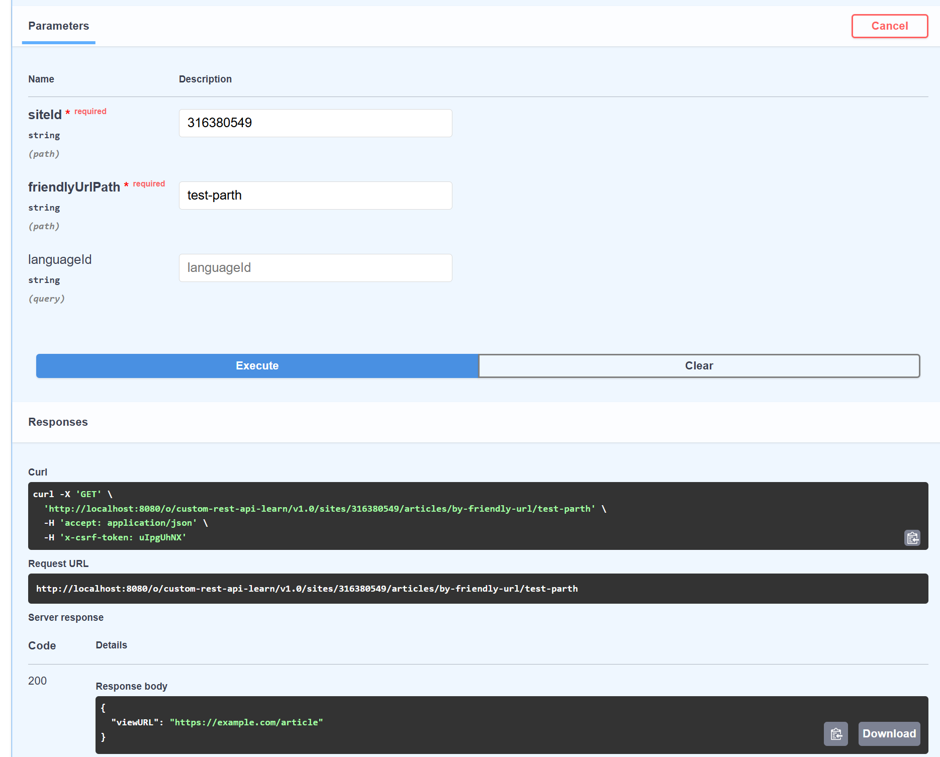
siteId: ✓ (Valid)friendlyUrlPath: ✓ (Valid)- Result: Executes the Impl file and returns the response defined in the
tryblock of the method.
Test Case 4
siteId: ✗ (Invalid)friendlyUrlPath: ✓ (Valid)- Result: Liferay's default response (no execution of code written in the Impl file).
Same behavior as Test Case 1.
Authentication Note: Direct URL testing in a browser requires the p_auth parameter, which is not recommended for production use. Use OAuth authentication for production scenarios.