

Content management has always been one of the most important capabilities of Liferay DXP. Traditionally, organizations have relied on Web Content Structures, Web Content Articles, and Templates to create, manage, and publish content across their digital platforms.
However, as digital experiences evolve, businesses increasingly require content that goes beyond traditional website publishing. They need structured, reusable, API-driven information that can be shared across multiple websites, mobile applications, and external systems.
This is where Liferay Objects become important. Although Objects have been available since Liferay DXP 7.4, their importance has grown significantly with the introduction of the New Headless CMS in Liferay 2026, which uses Objects as its underlying content model.
At Lurantech, we believe that understanding when to use Objects and when to continue using traditional Web Content is essential for building scalable and future-ready Liferay solutions. Let's explore the differences, advantages, limitations, and migration opportunities.
Traditional Web Content: Understanding the Existing Approach
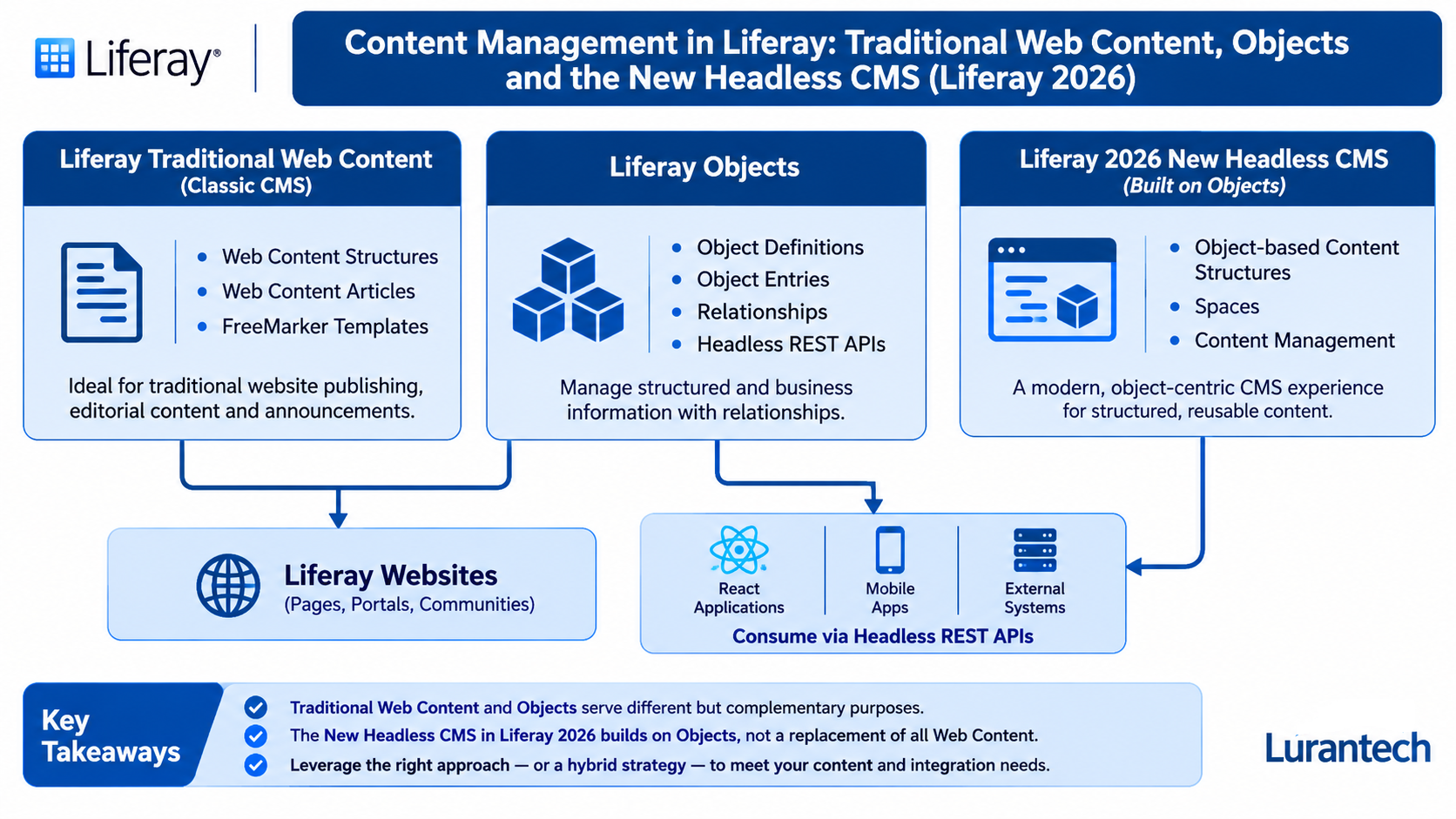
Traditional Web Content has been a fundamental part of Liferay's content management capabilities. It provides a structured approach to creating and publishing website content using three primary components:
- Web Content Structure: Defines the content schema and fields, such as title, description, images, dates, and other supported field types.
- Web Content Article: Represents an individual content item created using a particular Web Content Structure.
- Web Content Template: Defines how content is rendered and displayed, traditionally using FreeMarker templates.
For example, an organization managing news articles can create a News Structure containing Article Title, Description, Author, Publication Date, and Featured Image. Content editors can then create multiple articles using the same structure and display them through a common template.
This approach works exceptionally well for traditional website publishing, editorial content, announcements, and other presentation-oriented requirements.
Liferay Objects: Moving Towards Structured and Reusable Data
Liferay Objects introduce an entity-based approach to managing structured information. Instead of managing information primarily as individual website articles, organizations can define business entities, their attributes, and their relationships.
An Object Definition describes the data model, while Object Entries represent individual records.
For example, an organization can create the following Objects:
- Employee: Stores employee information.
- Department: Stores department details.
- Office: Stores office and branch information.
- Job Position: Stores available job positions.
These Objects can be connected through relationships. An Employee can belong to a Department, while a Department can have multiple Employees.
Additionally, Objects provide automatically generated Headless REST APIs, validations, actions, layouts, views, permissions, and workflow integration. This makes them suitable for managing both structured content and business-oriented data.
Why Are Objects Becoming More Important in Liferay 2026?
The introduction of Liferay's New Headless CMS represents an important evolution in the platform's content management architecture.
Previously, traditional Web Content was primarily organized around structures, articles, and templates. The New CMS introduces an object-based content model, allowing organizations to manage structured content independently of its presentation.
- Structured Content Management: Content can be defined using reusable content structures backed by Objects.
- API-First Architecture: Content can be consumed through Headless APIs by websites, mobile applications, and external systems.
- Content Reusability: The same content can be delivered across different digital channels without maintaining separate copies.
- Relationship Management: Content entities can be connected through relationships, making complex content models easier to manage.
- Unified CMS Experience: The new approach provides modern content management capabilities through Spaces, content structures, and centralized asset management.
It is important to understand that Objects themselves are not new in Liferay 2026. They were already available in Liferay 7.4. The significant development is the introduction of the new CMS experience built around the Objects framework.
Objects vs. Traditional Web Content: Key Differences
Although both approaches can manage structured information, their underlying models and intended use cases are different.
- Data Modeling: Web Content uses Structures and Articles, whereas Objects use Object Definitions and Entries.
- Relationships: Objects provide native relationships between entities, making them suitable for complex data models.
- API Integration: Objects automatically expose Headless REST APIs, simplifying integration with external applications.
- Presentation: Traditional Web Content commonly uses templates, while Objects can be presented using layouts, views, fragments, and external frontend applications.
- Business Logic: Objects provide validations and configurable actions, making them useful for business-oriented applications.
- Content Publishing: Traditional Web Content offers a mature publishing experience with established content workflows, versioning, scheduling, and localization.
- Data Reusability: Objects make it easier to maintain structured entities that are consumed by multiple applications and channels.
The important distinction is that Web Content is primarily publishing-oriented, whereas Objects provide an entity-oriented approach to managing structured information.
Advantages of Liferay Objects Over Traditional Web Content
1. Separation of Content and Presentation
One of the biggest advantages of Objects is that data modeling can be separated from its presentation. The same Object Entry can be consumed by multiple applications without creating separate content copies for each channel.
For example, a News Article Object can be consumed by a corporate website, a mobile application, and an employee portal using the same underlying data.
2. Native Relationships Between Entities
Objects support relationships such as one-to-one, one-to-many, and many-to-many. This makes it easier to establish connections between different business entities.
For example, an organization managing employees can associate each Employee Object with a Department Object. Similarly, a Department can be associated with multiple Employees.
3. Automatically Generated Headless REST APIs
Objects provide automatically generated REST APIs for creating, retrieving, updating, and managing Object Entries, subject to permissions.
This reduces the requirement to develop separate backend APIs for basic data management operations and simplifies integration with React, Angular, mobile applications, and external systems.
4. Built-in Validations and Business Logic
Objects provide configurable field validations and actions that help enforce data consistency and automate operations.
For example, an Employee Object can enforce mandatory employee information, while configured actions can trigger additional operations when an entry is created or updated.
5. Better Reusability Across Multiple Applications
Instead of maintaining duplicate information across different websites and applications, organizations can maintain structured data centrally and allow multiple consumers to access it.
6. Suitable for Custom Business Applications
Objects are not restricted to CMS requirements. They can also be used to build custom applications involving forms, structured records, relationships, validations, and workflow-driven processes.
Disadvantages and Limitations of Objects
Although Objects provide several architectural advantages, they are not a universal replacement for traditional Web Content. Organizations should evaluate the following considerations before adopting them.
- Content Authoring Experience: Traditional Web Content provides a mature editorial experience. Customers with established publishing processes may need additional configuration when adopting the object-based CMS approach.
- Presentation Configuration: Objects require appropriate layouts, views, fragments, display pages, or external frontend implementations to present information.
- Migration Complexity: Migrating Web Content requires mapping fields, relationships, categories, permissions, workflows, localization, and existing dependencies.
- Compatibility: Existing classic CMS widgets and fragments may not support new CMS assets. Customers must review their existing page architecture before migration.
- Data Modeling Responsibilities: Developers must carefully design Object Definitions, relationships, permissions, and validations to avoid unnecessary complexity.
- Localization Considerations: Object localization capabilities vary by Liferay release and supported field types. Customers should verify compatibility with their target version.
Therefore, adopting Objects requires architectural planning rather than simply replacing existing Web Content Structures with Object Definitions.
When Should Customers Prefer Objects Over Traditional Web Content?
Choosing between Objects and Web Content should depend on the business requirement, the nature of the information, and how it will be consumed.
1. Content Consumed by Multiple Applications
If the same information needs to be displayed across corporate websites, mobile applications, employee portals, and external systems, Objects are a strong candidate because they provide a reusable structured data model and Headless APIs.
2. Content With Complex Relationships
Consider a university managing Courses, Departments, Professors, Students, and Registrations. These entities are interconnected and require relationships. Objects provide a more natural approach to modeling such information.
3. Business-Oriented Information
Employee records, department information, office locations, business partners, and job vacancies represent business entities rather than simple editorial content. Objects are generally more appropriate for these requirements.
4. External System Integration
When structured information must be consumed by ERP systems, CRM applications, mobile applications, or third-party services, Objects provide a convenient API-driven approach.
5. Reusable Reference Data
Information such as countries, industries, service categories, business units, and product classifications can be managed as Objects when multiple applications need to reference the same records.
6. Custom Application Development
If the requirement involves structured forms, data relationships, validations, business actions, and workflow-driven processes, Objects are a natural choice.
When Should Customers Continue Using Traditional Web Content?
Despite the advantages of Objects, traditional Web Content continues to be an excellent choice for many publishing requirements.
- News and Blog Articles: Editorial content primarily intended for website publishing.
- Press Releases: Company announcements and media communications.
- Marketing Content: Campaign descriptions, landing page content, and promotional material.
- Template-Driven Content: Content that depends heavily on existing FreeMarker templates and display page templates.
- Simple Informational Content: Content that is consumed primarily within one Liferay website and does not require complex relationships.
- Existing Classic CMS Implementations: Applications with established Web Content dependencies where migration would introduce unnecessary development and maintenance effort.
The objective should not be to replace every existing Web Content Article with an Object. Instead, customers should select the appropriate technology based on the actual business need.
Which Web Content Should Liferay 2025.Q1 Customers Consider Migrating to Objects?
Customers using Liferay DXP 2025.Q1 already have access to Objects and can adopt them for suitable business and structured-data requirements without waiting for the New CMS introduced in later releases.
However, not every Web Content Structure needs to be converted. Customers should identify structures that represent reusable business entities or structured information consumed by multiple applications.
1. Product Information
If an organization uses Web Content Structures to maintain Product Name, Product Code, Description, Price, Category, and Specifications, these records may be suitable for migration to a Product Object.
Relationships can be established between Products, Categories, and Brands, while external applications can consume the information through REST APIs.
2. Employee and Department Information
Employee profiles and department details are business entities with clear relationships. Migrating them to Objects can help organizations maintain centralized employee information and expose it to different applications.
3. Office and Branch Locations
Office names, addresses, contact information, operating hours, and branch details can be modeled as Objects when multiple applications require access to the same information.
4. Frequently Asked Questions (FAQs)
FAQs can be migrated to Objects when organizations need a centralized repository consumed by websites, mobile applications, and customer support systems. However, website-specific editorial FAQs can remain as traditional Web Content.
5. Event Information
Events containing names, descriptions, dates, venues, organizers, and registration information can be modeled as Objects, particularly when they integrate with registration and attendance processes.
6. Reference and Classification Data
Countries, industries, service categories, document types, and business classifications are good candidates when they represent reusable reference data shared across different entities and applications.
How Should Customers Evaluate Existing Web Content Before Migration?
Before migrating existing Web Content into Objects, customers should conduct a structured assessment of their current content architecture.
- Identify Existing Structures: Prepare an inventory of Web Content Structures and their associated articles.
- Classify Content: Separate editorial content, structured business information, and hybrid content.
- Identify Relationships: Determine whether one content type needs to reference another.
- Review Integration Requirements: Identify external applications, REST API consumers, and multiple websites that use the information.
- Evaluate Existing Dependencies: Review templates, fragments, widgets, workflows, permissions, categories, and friendly URLs.
- Measure Business Value: Migrate only when the new architecture provides meaningful improvements in reuse, integration, maintainability, or data management.
Migration Considerations for Liferay 2025.Q1
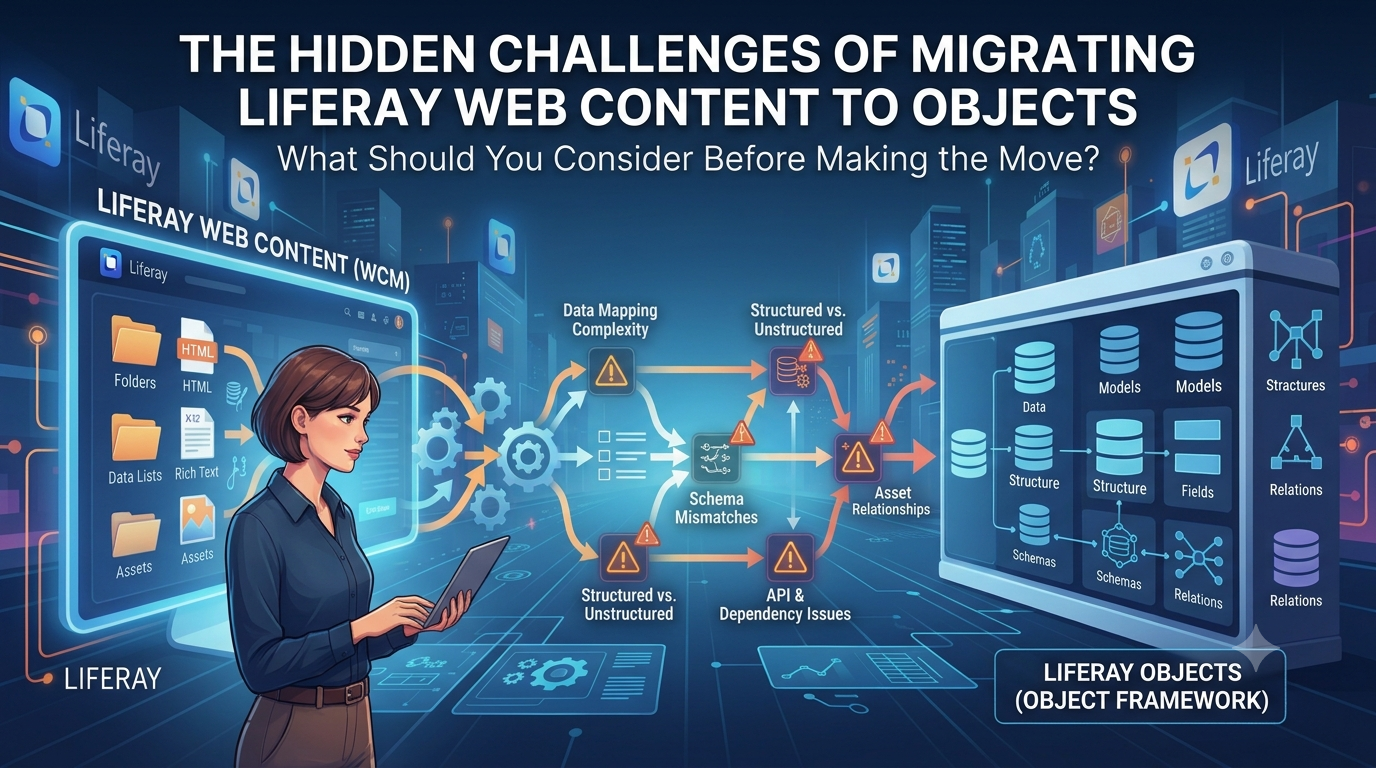
Migrating traditional Web Content to Objects is not simply a matter of creating an Object Definition with the same fields. A complete migration must consider the data model, relationships, existing functionality, and presentation layer.
A typical migration approach includes:
- Create the required Object Definitions.
- Map Web Content Structure fields to Object fields.
- Extract existing Web Content Articles.
- Transform the extracted data into the required Object Entry format.
- Import or create Object Entries using supported APIs or migration utilities.
- Re-establish relationships between migrated entries.
- Recreate or map categories and tags where required.
- Reconfigure permissions and workflows.
- Rebuild the presentation layer using supported layouts, fragments, and display pages.
- Validate localization, URLs, search indexing, and external API consumers.
It is also important to remember that there is no general one-click conversion of traditional Web Content Articles into the New CMS content model. Customers should plan a controlled migration using Liferay APIs, custom scripts, or appropriate migration utilities.
A repeatable ETL approach (Extract, Transform, Load, and Validate) is recommended, especially for enterprise implementations with large volumes of existing content.
Recommended Strategy: Adopt a Hybrid Content Management Approach
The best approach for most organizations is not to replace all traditional Web Content with Objects. Instead, they should adopt a hybrid strategy that uses both technologies based on their strengths.
- Traditional Web Content: News articles, blogs, press releases, marketing content, announcements, and template-driven website content.
- Liferay Objects: Product information, employee records, departments, locations, events, reusable reference data, and structured business entities.
For customers moving towards Liferay's New CMS, object-based content structures provide a foundation for managing reusable, structured, multi-channel content. Existing Classic CMS implementations can continue to use traditional Web Content where their existing functionality and dependencies require it.
This approach helps organizations modernize their content architecture incrementally without introducing unnecessary migration risks.